What to schedule before you close for the holidays
Closing for the end of the year? Queue a closing notice, last order dates, a thank-you, a few evergreen posts, and a reopening post, and set expectations for comments and DMs while you are away.
6 min read


On this page
Your shop closes for a week or two at the end of the year, and you would rather not look abandoned while you are away. The answer is a short queue scheduled before you leave: a closing notice, last order dates, a thank-you, a few posts that need no reply, and a "we're back" post, plus an honest plan for the comments and DMs that keep arriving.
The short answer
- Schedule five kinds of posts: the closing notice, last order reminders, a thank-you, a few evergreen posts, and the reopening post.
- Skip anything that needs you live: flash sales, new product drops, giveaways, and posts that ask people to message you.
- Set expectations for messages: say in your bio, pinned post, and captions when you will reply.
- Answer the repeat questions automatically on Instagram and Facebook with a keyword automation, within the limits the platforms allow.
- Write it all in one sitting, a week before you close, and check it once before you leave.
What to queue
1. The closing notice
One to two weeks before you close, post the dates you are closed, the date you reopen, the last order date, and when orders placed before that will ship. Be exact: "Closed December 24 to January 3. Orders placed by December 18 ship before we close." Put it on the feed, not only in Stories, so people visiting your profile later still find it, and pin it if the platform lets you.
2. Last order reminders
A reminder a few days before the cutoff and one on the day itself. Keep them short: the date, the time, and where to order.
3. A thank-you
On the day you close, thank the people who ordered this year and say when shipping and replies resume. No call to comment, since you will not be there to answer.
4. A few evergreen posts
Two or three posts spread over the break so the account does not go quiet: a how-to for one of your products, a look back at the year, your best photos, a short behind-the-scenes. They should make sense without a reply from you.
5. The reopening post
On your first day back: you are open, what is new, and where to order. If you had a waitlist or restocks, this is the place to say so.
For batching all of it at once, see how to plan a week of social media posts. If you are also running a Black Friday sale before the break, our Black Friday plan covers that stretch.
What not to schedule
- Sales or drops that need you live. A flash sale with no one answering questions loses buyers.
- Giveaways. Someone has to pick and contact the winner; see how to run a comment giveaway people can trust for when you are back.
- "DM us to order" posts. They invite messages you will not answer for days.
- Anything with a date that might change. Shipping cutoffs from couriers can move; check them before you leave.
Comments and DMs while you are away
Messages keep coming during a break. Three things help:
- Say when you will reply. In your bio, the pinned closing notice, and each caption: "We reply from January 4."
- Answer the same question once. Hours, last order date, and shipping go in the pinned post so people find them without asking.
- Automate the repeats on Instagram and Facebook. A keyword automation can answer "open?" or "shipping?" with your dates.
Set it up in eksis
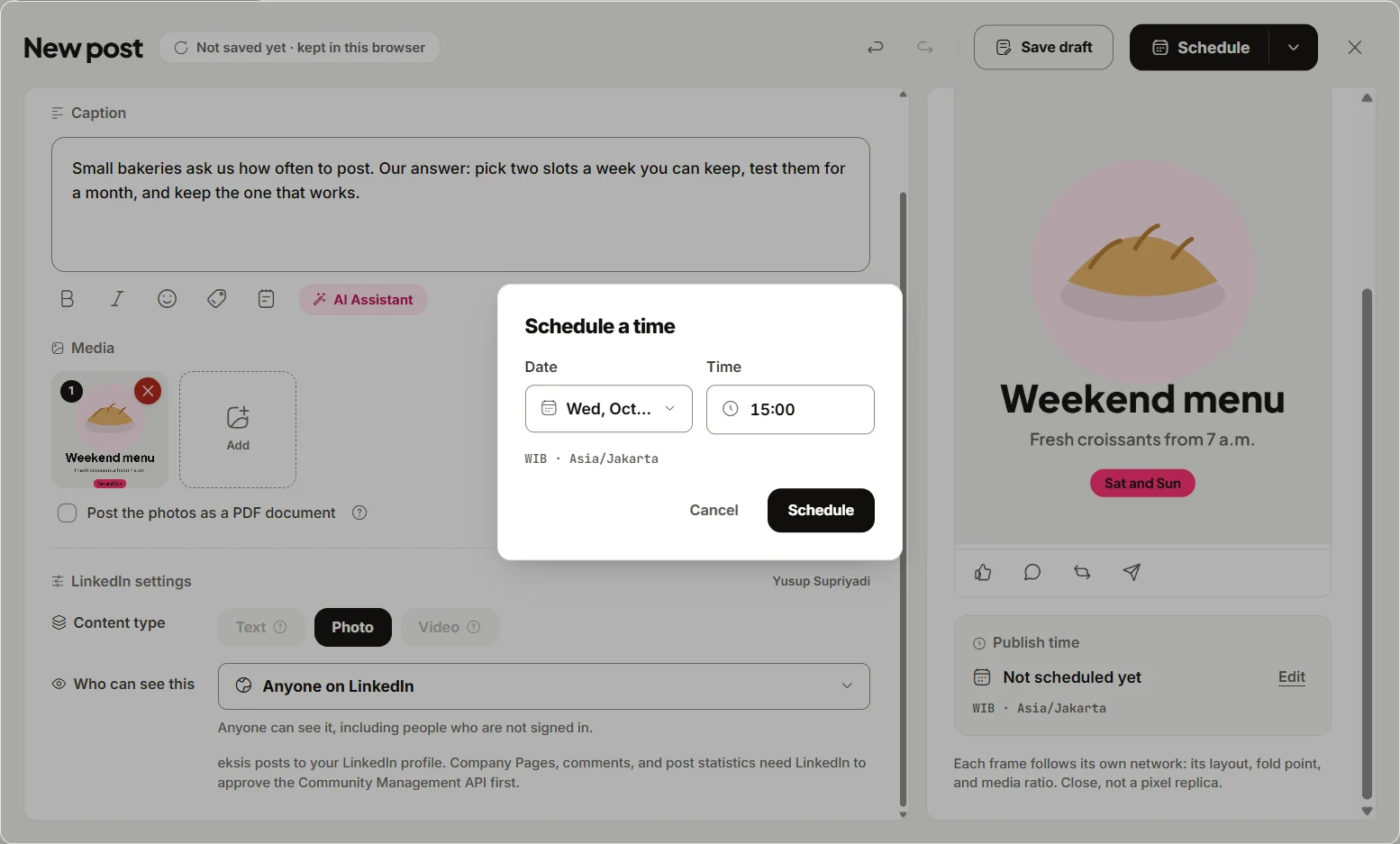
Schedule the queue. Click Create post, pick your channels, write one caption or one per channel, and click Edit next to Publish time to set the date and time. Everything shows in Posts on a Week, Month, or List view, so you can check the whole break at a glance before you leave and drag a post if a date changes.
Answer repeat questions. In Automations, a comment with a keyword or a DM with a keyword can trigger a reply, and the reply can go out in public, by DM, or both. Use words people actually write, such as "open", "closed", or "shipping", and reply with your dates. Before you leave, choose Test to see whether the automation would run and the exact reply it would send; nothing is actually sent in a test. Limits that are on by default: a comment triggers an automation once, one person gets at most one automated DM a day, and an automation runs at most 60 actions an hour. DMs can be sent on Instagram and Facebook only. TikTok, LinkedIn, and Pinterest give outside apps no access to comments or DMs, so there is nothing to automate there; say your dates in those captions instead.
Catch up when you return. The Inbox groups comments from Instagram, Facebook, YouTube, Threads, X, and Bluesky by post, with statuses Unanswered, Assigned, and Done. On paid plans it also holds Instagram and Facebook DMs, but both networks only accept a reply within 24 hours of the person's last message, so a DM from the first day of your break can no longer be answered there when you return. An automated reply with your dates covers that gap.
Plans and limits
On Free, eksis connects one social account, schedules up to 15 posts a month, keeps 7 days of Inbox history, and allows one active automation. Pro Eksis is $3 a month for up to 20 accounts, no monthly post limit, 30 days of Inbox history, Instagram and Facebook DMs, and no limit on automations. See compare plans.
Sources
- eksis docs: Automations (read November 11, 2026)
- eksis docs: The inbox (read November 11, 2026)
- eksis docs: Plans (read November 11, 2026)
Frequently Asked Questions
Should a small business post during the holidays?
A few scheduled posts keep the account from looking abandoned: a closing notice, a thank-you, two or three evergreen posts, and a reopening post. Skip anything that needs you to be online.
How do I tell customers I am closed for the holidays on Instagram?
Post the dates on the feed, pin the post, add the reopening date to your bio, and repeat it in captions until you close. A keyword automation can answer "are you open?" comments with the same dates.
Can I set an automatic reply for DMs while I am away?
On Instagram and Facebook, yes, with a DM keyword automation in eksis or a similar tool. Each person gets at most one automated DM a day in eksis, and TikTok, LinkedIn, and Pinterest do not allow outside apps to reply.
When should I schedule holiday posts?
About a week before you close, in one sitting, then check the queue once more the day before you leave.