Outbound comments: how a small business gets noticed by commenting first
Commenting on other people's posts is one of the cheapest ways for a small account to be seen. Here is where to comment, what a useful comment looks like, how much is enough, and why the platforms' spam rules mean you should do it by hand.
10 min read



On this page
Most small businesses treat comments as something that happens to them: a post goes out, people comment, the business replies. Outbound commenting turns that around. You leave thoughtful comments from your business account on other people's posts, such as customers, neighbors, local creators, and people talking about your field, so that new people meet you in a place they already pay attention to.
Done well, it is one of the cheapest ways for a small account to be seen, and it costs nothing but time. Done badly, it looks like spam to the people you comment on and to the platforms, whose rules limit high-volume and automated engagement. This guide covers where to comment, what a useful comment looks like, how much is enough, and how to keep track.
The short answer
- Comment where your future customers already are: posts that tag or mention you, posts by customers, local accounts, and people discussing what you sell.
- Every comment should only make sense on that one post. If you could paste it under any post, do not post it.
- No links, discount codes, or "check out our page" in a first comment. Let people come to you.
- Set a daily time box, around 15 minutes, instead of a number to hit.
- Do it by hand. Meta's spam policy covers engaging at very high frequencies, manually or automatically, and YouTube's spam policy names repetitive comments that drive traffic.
- Keep a simple log of who you commented on and what came of it, and follow up when someone replies.
What outbound commenting looks like at its best
In an interview in Link in Bio, Rachel Karten's newsletter, Delta Air Lines social media community specialist Jaz Daley described how Delta uses comments on other people's posts. One example: an organization called The X for Boys shared a viral TikTok video about how to navigate airports. Delta left an encouraging comment, then contacted the group and hosted a full day of programming for the boys at its headquarters, plus a $10,000 donation.
Most of that is out of reach for a small business, and that is fine. The useful parts are the habits behind it:
- The team finds stories by scrolling its own feeds and mentions and by searching keywords on each platform, by hand.
- Comments respond to the story in the post. They do not advertise.
- Delta keeps a tracker of each engagement so it remembers the story, how people reacted, and how the creator responded.
A small business can copy those three habits at its own scale.
Where to look for posts worth commenting on
Start close to home and move outward:
- Posts that tag or mention you. These are people who already know you. A reply-style comment on their post is the easiest yes.
- Your customers' posts. If a customer posts a photo with your product, a short, specific comment from your account is welcome almost every time.
- Local accounts. Neighboring shops, local news pages, community groups, and event organizers. Use the location and local hashtags on each platform to find them.
- People talking about your field. A bakery might look at home bakers asking why their bread is dense. A bike shop might look at commuters posting about their first winter ride.
- Creators your customers follow. Pick a handful whose audience overlaps with yours and comment when you have something to add, not on every post.
Strategist Matthew Stasoff, writing in Link in Bio about restarting a stalled account, suggests interacting with content you would want your own posts to appear next to. That is a good filter for the last two groups.
Avoid posts about grief, illness, conflict, or anything where a brand voice would feel intrusive, even when the subject is close to what you sell.
What a good comment looks like
A good outbound comment does three things: it shows you actually looked at the post, it adds something, and it asks for nothing.
Compare these on a home baker's post about a loaf that came out flat:
- Weak: "Great post! Check out our sourdough classes, link in bio."
- Better: "That crumb looks tighter on the left side. Was it in a cold spot of the oven? Ours did the same until we turned the tray halfway through."
The second one is specific, useful, and written by a person. If the baker replies, you are in a conversation. If they visit your profile, they will find the classes on their own.
A few rules that keep comments on the right side:
- Write each comment fresh. Templates are fine for your own replies to customers, not for comments on strangers' posts.
- Match the tone of the post. A joke under a joke, care under a story that matters to the person.
- Name a detail from the post: the product, the place, the result, a line from the caption.
- Leave out links, prices, and promo codes. If someone asks, answer in a reply or a message.
- Do not promise anything you cannot deliver. A comment that says "we'll send you one" has to be followed by actually sending one.
About gifts and giveaways
Delta's examples include gifts and flights, given after a story caught the team's attention. That is different from asking for engagement in exchange for a prize. Meta's spam policy does not allow offering something of monetary value in exchange for engagement, such as entering everyone who likes a page into a cash draw. A surprise for a customer whose post moved you is a gesture. "Comment and follow to win" from your outbound comments is not. For running a fair giveaway on your own posts, see our comment giveaway guide.
How much is enough, and why not to automate it
There is no published number of comments that is safe, and platforms do not want you to look for one. What they do publish points in one direction.
- Meta's Community Standards on spam say Meta does not allow posting, sharing, or engaging with content at very high frequencies, whether manually or automatically, and that it may restrict accounts acting at lower frequencies when other signs of spam, such as repetitive content, are present.
- Instagram's Terms of Use say you cannot access or collect information in an automated way without Instagram's express permission.
- YouTube's spam policy lists comment spam: high-volume, repetitive, or deceptive comments used to drive traffic to or engagement with content. Its example is posting identical or similar "check out my channel" messages across hundreds of videos.
So keep it manual and modest. A daily time box works better than a target: 15 minutes, a handful of comments you would be happy to have someone screenshot. If you find yourself writing the same sentence twice, stop for the day.
Tools that comment on other people's posts for you, engagement groups that trade comments, and bought comments all fall into what these policies describe. They also defeat the point: the value of an outbound comment is that a real person at the business noticed.
Automating replies to comments on your own posts through a platform's official API is a different thing, with its own rules. Our guide to comment and DM automation without getting your account restricted covers that.
Keep a log and follow up
A tracker like Delta's is the easiest habit to drop, and it is what turns comments into relationships. A spreadsheet with these columns is enough:
| Column | Example |
|---|---|
| Date | 14 Oct |
| Account | @homebaker_jo |
| Post link | The flat loaf post |
| What you said | Oven cold spot, turn the tray halfway |
| What happened | Replied, followed us, asked about flour |
| Next step | Send flour recommendation by DM if she asks |
Check it once a week. Follow up when someone replied, tagged you, or came back with a question. Over a few months the log shows which kinds of accounts respond to you and which comments led to follows, messages, or customers walking in and mentioning it.
What to measure
Outbound comments are hard to attribute, so look for signals rather than a single number: replies to your comments, profile visits and follows in the days after a commenting session, messages that mention a comment, and customers who say where they found you. Compare a month with a daily commenting habit to the month before.
Handle what comes back in eksis
eksis does not post comments on other accounts' posts, so outbound commenting happens in each platform's app. Where eksis helps is with what comes back, and with keeping the habit organized.
- Reply in one place. When outbound comments bring people to your own posts, their comments land in the Inbox, grouped by post. Each item is Unanswered, Assigned, or Done, and Filters narrows the list by channel, status, and tag. Comments from Instagram, Facebook, YouTube, X, and Bluesky appear there. TikTok, LinkedIn, and Pinterest give outside apps no access to comments, so answer those in their apps.
- Save the answers you repeat. Under Settings, Saved replies, create replies for questions people ask once they find you (opening hours, shipping, where to buy). In a reply, type / to insert one. {name} fills in the person's name. Saved replies are for your own replies, not for outbound comments.
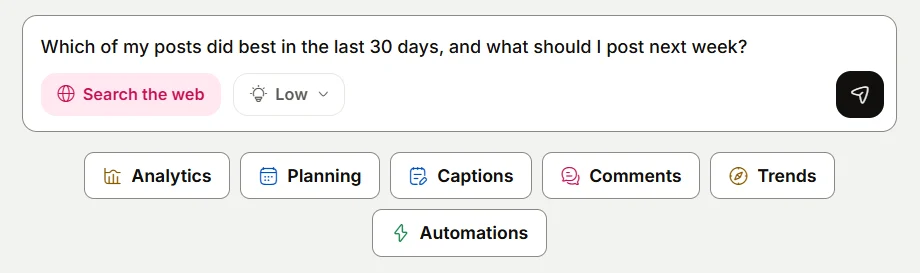
- Find conversation topics. The Assistant on Home can read recent comments on your channels. The "See what people are asking" suggestion surfaces questions your audience keeps asking, which tells you which outside conversations you are useful in.
- Track the habit. Use the Idea board under Create Idea as a light log: one column for accounts to follow up with, one New idea per conversation worth remembering, and tags for the kind of account.
- Watch the trend. On Starter and above, Analytics shows follower change per channel under Audience, which you can compare before and after a month of commenting.
Inbox history covers 7 days on Free and 30 days on Starter. On Free, comments are open and DMs are not. Replies sent to X use X credits. See plans and our guide to answering comments and DMs from every platform.
Sources
- Link in Bio: Delta's kindness KPI, interview with Jaz Daley
- Link in Bio: What to do when your social strategy stalls, by Matthew Stasoff
- Meta Transparency Center: Community Standards, Spam
- Instagram Help Center: Terms of Use
- YouTube Help: Spam policy
All were read on October 24, 2026.
Frequently Asked Questions
What is outbound commenting on social media?
It means commenting from your business account on other people's posts, such as customers, local accounts, and people discussing your field, instead of only replying to comments on your own posts. The aim is to be useful in conversations your future customers already read.
How many comments a day is safe for a business account?
No platform publishes a safe number. Meta's spam policy covers engaging at very high frequencies, manually or automatically, and may restrict accounts at lower frequencies when comments are repetitive. A daily 15-minute block of specific, hand-written comments stays well away from that.
Can I use a tool to comment on other accounts automatically?
That is risky and works against the point. Instagram's Terms of Use prohibit accessing or collecting information in an automated way without permission, Meta's spam policy covers automated high-frequency engagement, and YouTube's spam policy names repetitive comment spam. Write outbound comments yourself.
Should I include a link in my comment?
No. A link or promo code in a comment on someone else's post reads as an ad. If people want to know more, they will visit your profile or ask, and you can answer in a reply or a message.
Can eksis post comments on other people's posts?
No. eksis handles comments on your own posts in the Inbox, with saved replies and statuses, and on supported platforms can automate replies on your own posts through the platform's API. Outbound comments happen in each platform's app.