How to remix your best posts without repeating yourself
Your best old posts still have an audience, but platforms treat exact repeats differently. Here is how to find winners in your analytics, five ways to rework them, and how far apart to post the original and the remix.
10 min read



On this page
Your best post from last spring is still your best post. Most of your followers never saw it, and the ones who did have forgotten the details. Posting it again is tempting, and done carelessly it is also the fastest way to get less reach: Instagram says it makes reels that have already been posted on Instagram less visible.
The way through is to remix rather than repost. Keep the idea that worked and change the packaging: a new opening, a new format, a new angle, or new information. This guide covers how to find the posts worth remixing, five ways to rework them, and how long to wait between the original and the new version.
The short answer
- Find winners by engagement rate and by how far they beat your median post, not only by total reach.
- Write one line about why each winner worked: the topic, the format, or the opening. That line decides what you keep.
- Change at least one visible thing in every remix. Never upload the identical video file again to the same platform.
- Five remix types work for most small accounts: a new opening, a new format, a new angle on the same topic, an updated version, and a version for another platform.
- Wait until the original has stopped picking up views before posting a close remix. A different-format remix can come sooner.
- Keep remixes a minority of what you post, and compare each one against the original so you learn which kind works for you.
Why remixing works, and where it stops
Two things are true at once. Good ideas are rare, and a post that worked once usually worked because the idea was right. At the same time, platforms want original content and treat repeats differently.
The case for remixing has a well-documented example. The baby formula brand Bobbie described in its Shorty Awards entry how it reshared a "Dear Restaurants" carousel asking restaurants to put changing tables in men's restrooms. The original post reached 48,000 people. The team made creative changes based on what the performance data showed, posted it again, and the new version organically reached about 1.36 million, with more than 93,000 likes and 21,000 shares. Rachel Karten covered the same example at the start of her Link in Bio guide to remixing, where she frames the tactic as learning from your hits and making strategic edits, not flooding your audience with the same post.
The limits come from the platforms:
- Instagram's ranking explainer lists reels that have already been posted on Instagram among the reels it aims to make less visible, next to watermarked and low-resolution reels.
- Instagram's help page on trial reels tells you to make a new reel and warns that a trial may get limited reach if Instagram detects you have shared the same content before.
- YouTube's spam policy says posting a few variations of a video is fine, but it does not allow flooding the platform with high volumes of similar content with minimal changes. Separately, YouTube says you will not be penalized for using your own long video in a clip or Short.
Instagram's wording is about reels, and Bobbie's repost was a carousel, but treating every format the same way is the safer habit: a remix has to be a new post that people could tell apart from the original. Changing only the caption is not enough.
Step 1: Find the posts worth remixing
Look at the last 90 days, or longer if you post less than twice a week. For each post, note reach, engagement, and engagement rate (engagements divided by reach).
- Work out your median reach and median engagement rate. The median is the middle post when you sort them, and it describes a normal post better than the average does.
- Mark every post that beat the median by a wide margin on either number. Twice the median is a useful line for small accounts.
- Look for saves, shares, and comments asking follow-up questions. Those suggest people wanted to keep or pass on the post, which is a better sign than a quick like.
- Drop posts that won for reasons you cannot repeat: a big account shared it, it rode a news moment that has passed, or it was a one-time announcement.
You should end up with three to ten winners. If you have more, start with the most recent ones, since they reflect your current audience.
Step 2: Write down why each one worked
Before you change anything, write one sentence per winner about what you think did the work. Be concrete:
- Topic: "People wanted to know how long the bread stays fresh."
- Format: "The step-by-step carousel let people save it."
- Opening: "The first frame showed the finished result before the process."
- Timing or context: "It answered a question that came up in comments that week."
This sentence tells you what to keep. If the topic did the work, you can change the format freely. If the opening did the work, keep that opening style and change the topic slightly. If you cannot tell, test two remixes that each keep a different element.
Step 3: Pick a remix type
A new opening
Keep the body and replace the first two seconds of a video, the cover of a carousel, or the first line of a caption. This is the closest remix to the original, so it needs the longest gap (see Step 4) and the most visible change.
A new format
Turn a carousel into a short video, a video into a carousel of its key frames with your own captions, or a long caption into a simple photo with the main point written on it. The idea stays, the experience is different, and people who skipped one format may stop for the other.
A new angle on the same topic
Answer a different question about the same subject. If "how long does sourdough stay fresh" worked, try "how to revive a two-day-old loaf" or "why our loaves last longer than supermarket bread". This is the easiest remix to repeat, because one good topic can carry several angles.
An update
Return to the same post with new information: a new season, a new product version, a changed price, or a follow-up ("six months later"). Updates give returning followers a reason to look again, since something actually changed.
A version for another platform
A post that worked on Instagram may work on LinkedIn, Threads, or Facebook with a rewrite for that audience. Write it for the platform rather than copying the caption. Our guide to cross-posting to Threads, Bluesky, and X covers what to change on the short-text networks.
Step 4: How far apart to post the original and the remix
No platform publishes a waiting period, so this is a judgment call. These are the starting points we suggest, based on one idea: do not post a close copy while the original is still being shown to people.
| Remix type | Suggested gap after the original |
|---|---|
| Version for another platform | Any time, including the same week |
| New format or new angle | Two to four weeks |
| Update with new information | When the new information exists |
| New opening on the same content | At least two to three months |
| Near-identical repost (same post, small edits) | Only for genuine winners, and several months apart |
Check that the original has stopped picking up views before a close remix goes out. If the numbers are still moving, wait.
Also keep remixes a minority of what you publish. If every other post is a version of something old, regular followers notice. Something like one remix for every four or five new posts is a reasonable place to start, and your results will tell you whether to move it.
Step 5: Measure the remix against the original
Treat each remix as a small test. After it has had the same amount of time the original had, compare:
- Reach and engagement rate against the original and against your current median.
- Whether the comments repeat the same questions as last time, which tells you the topic still has demand.
- Whether the remix type you chose beat the others you tried.
Keep a list. After five or six remixes you will know whether new formats, new angles, or updates work best for your audience, and you can plan around that.
Remix your best posts in eksis
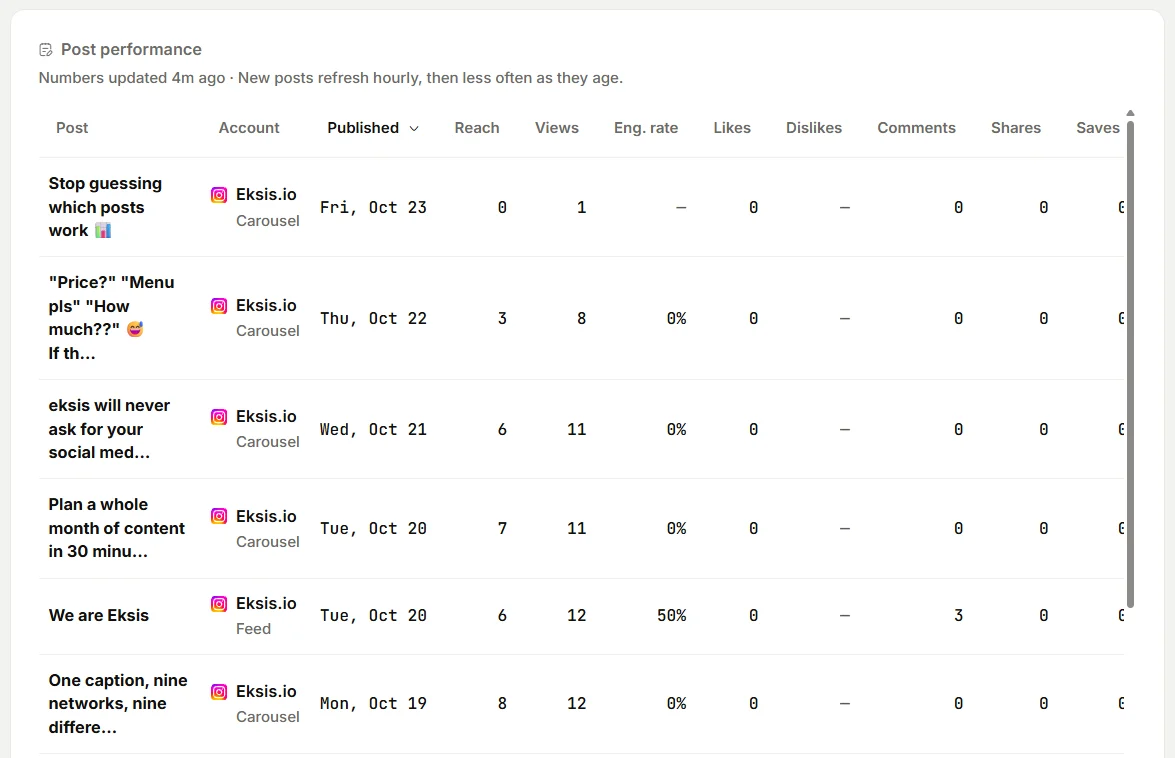
- Find winners. Open Analytics, set the period to 90 days, and sort Post performance by engagement rate or by reach. Top posts lists the most engaged posts of the period. Posts you published from the network's own app are included. Choose Export and pick Posts if you prefer to work out the median in a spreadsheet. eksis keeps updating a post's numbers for 30 days after it goes out, so a 90-day view mostly shows posts whose numbers have settled.
- Keep the list. Open Create Idea and add a Remix column on the Idea board. Add each winner as a New idea with your one-line reason in the notes and the remix type as a tag.
- Start from the original. For posts you published through eksis, open Posts, switch to List, filter by the account and the Published status, and open the post. In Post details, choose Duplicate post, then change the opening, the media, or the format before you schedule it. Make sure the new version uses new media where the remix type needs it.
- Schedule the gap. Choose Schedule, then Schedule a time, and pick a date that respects the gap from Step 4. The Month view in Posts shows how remixes are spread among your new posts.
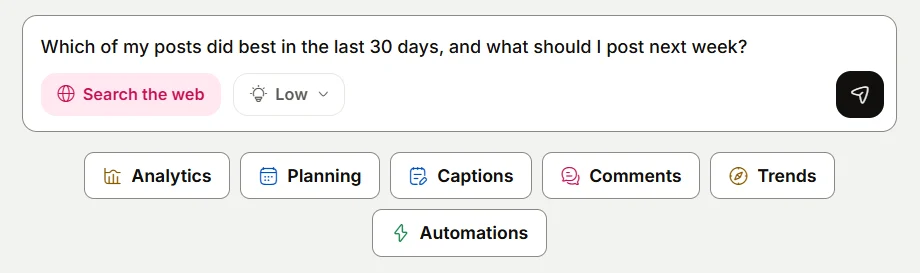
- Ask for angles. The Assistant on Home can read your analytics and, if you ask, save ideas to your Idea board. Try "Find my three best posts from the last 90 days and suggest a new angle for each", then ask it to save the ones you like as ideas.
Analytics and the Assistant's access to your numbers start on Starter, which connects up to 20 accounts. The Free plan connects one account and shows no Analytics. See plans.
Related reading
- The social media metrics worth tracking
- How to post one vertical video to TikTok, Instagram Reels, and YouTube Shorts
- How often to post on social media in 2026
Sources
- Link in Bio: Remix your social media hits
- The Shorty Awards: Bobbie, "Dear Restaurants: Please Install Changing Tables In Your Men's Restroom"
- Instagram: Instagram Ranking Explained, by Adam Mosseri
- Instagram Help Center: What kind of reels you may see on Instagram
- Instagram Help Center: About Trial Reels on Instagram
- YouTube Help: Spam policy
- YouTube Help: Video clips and Shorts in YouTube Studio
All were read on October 24, 2026.
Frequently Asked Questions
Is it okay to repost an old Instagram post?
It can work, but do not upload the same reel again unchanged. Instagram says it makes reels that have already been posted on Instagram less visible. Change something people can see, such as the opening, the cover, or the format, and wait until the original has stopped picking up views.
How long should I wait before reposting content?
No platform sets a waiting period. As a starting point, a new format or angle can follow two to four weeks after the original, while a close remix with a new opening should wait at least two to three months. A version written for another platform can go out any time.
Will YouTube penalize me for turning my videos into Shorts?
YouTube says you will not be penalized for using your own content in a video clip or Short. Its spam policy also allows a few variations of a video, but not high volumes of similar content with minimal changes.
How do I find my best posts to remix?
Compare each post with your median, not your average. Posts that beat the median reach or engagement rate by a wide margin, and that drew saves, shares, or follow-up questions, are the best candidates. In eksis, sort Post performance in Analytics by engagement rate.
How often should I post remixes?
Keep them a minority. One remix for every four or five new posts is a reasonable start. Compare each remix with its original and adjust the ratio based on what you see.